Kitchen loses orders
Paper KOT piles up, add-ons get missed, and food goes out late at peak hour.

For restaurant owners
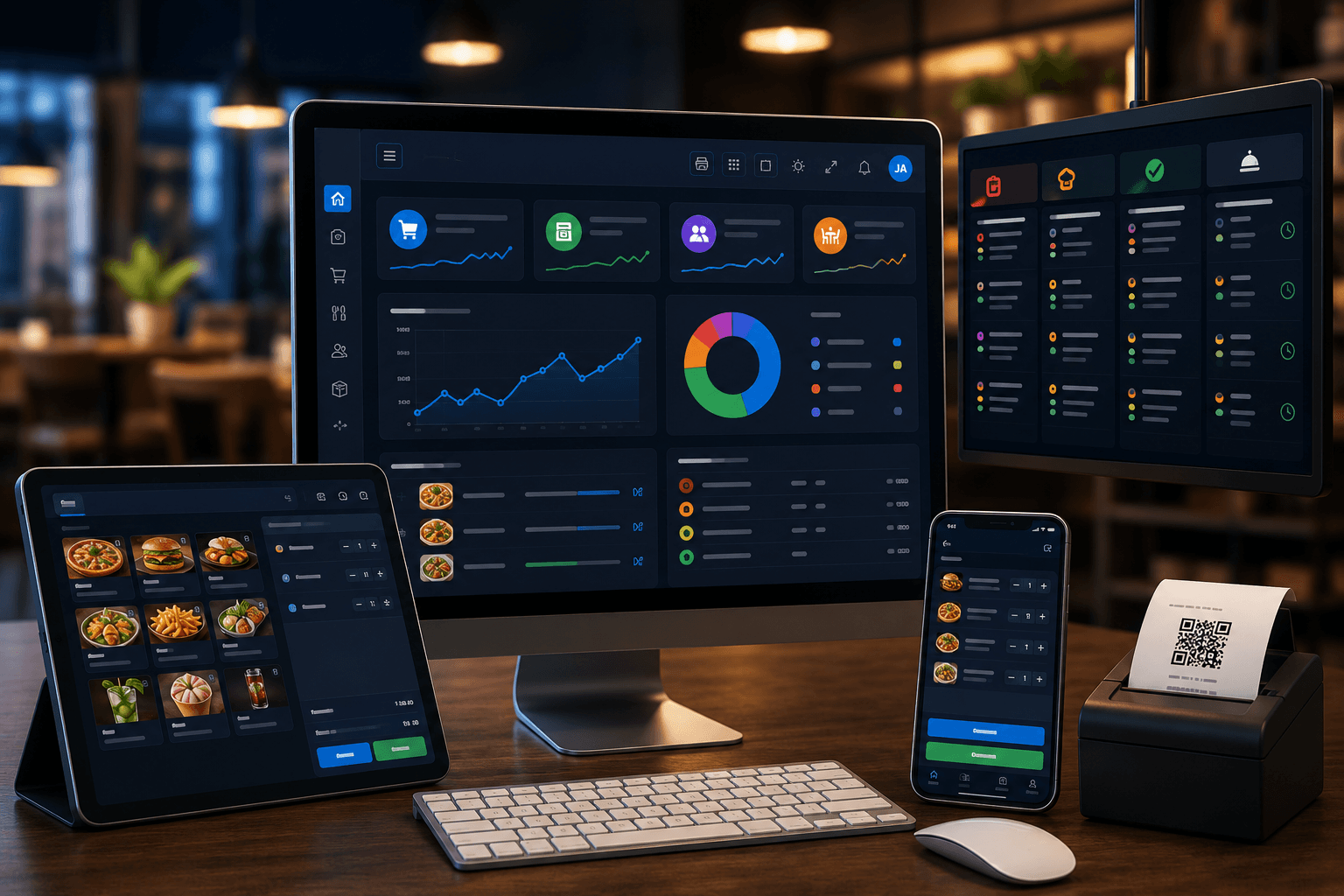
MatrixDine brings POS, kitchen display, table ordering, inventory, and branch reports into one practical system built for everyday service - not spreadsheets.
Sound familiar?
If any of these happen during a busy service, you are not alone - and you do not need five different tools to fix it.
Paper KOT piles up, add-ons get missed, and food goes out late at peak hour.
Counter queues grow while staff re-enter orders or fix billing mistakes.
You close the day without knowing sales, top items, or where margin is leaking.
One connected platform
No retyping orders. No paper KOT pile. No guessing today's numbers when you close.
POS, mobile, or table session
Live panel & printed KOT
ECR Tap & Pay, split payments
Sales, recipes & inventory
What you get
Everything an owner needs day to day, without ERP jargon.
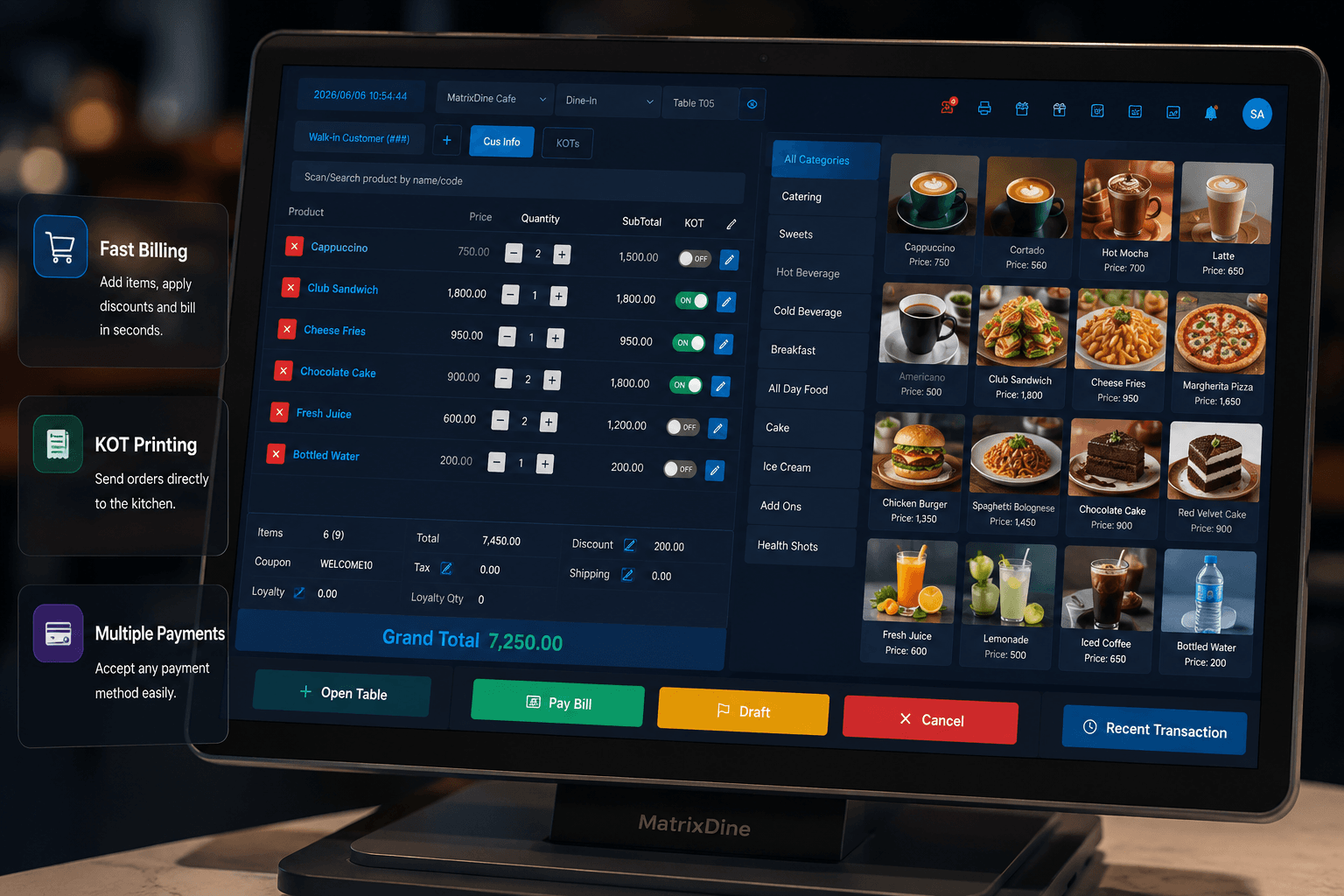
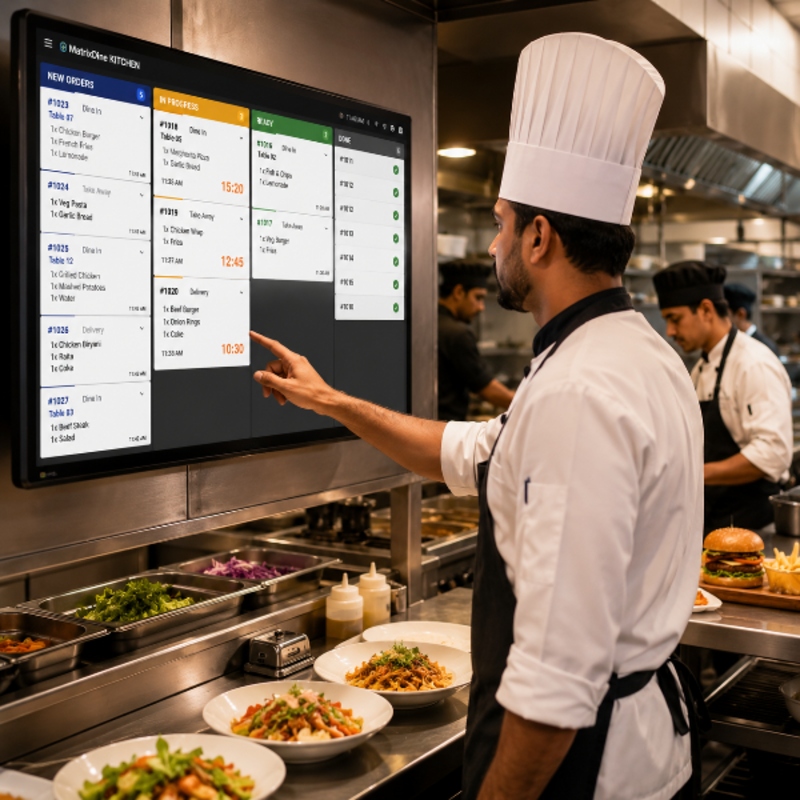
Take orders from the counter or floor with POS and mobile ordering - discounts, split bills, and payments in one flow.
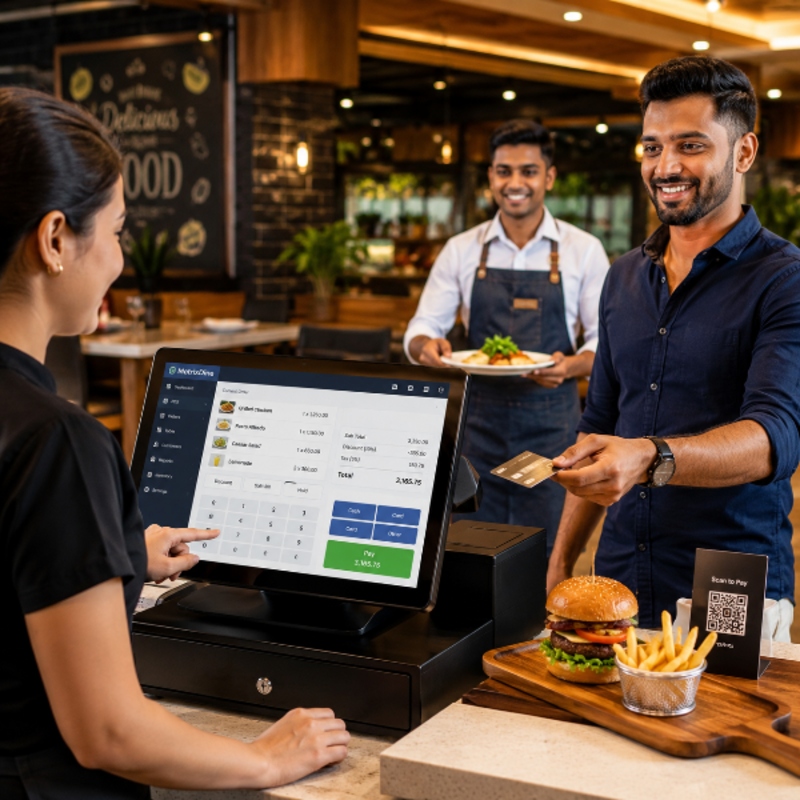
Kitchen panel shows every ticket in real time. Less shouting, fewer remakes, calmer rush hours.
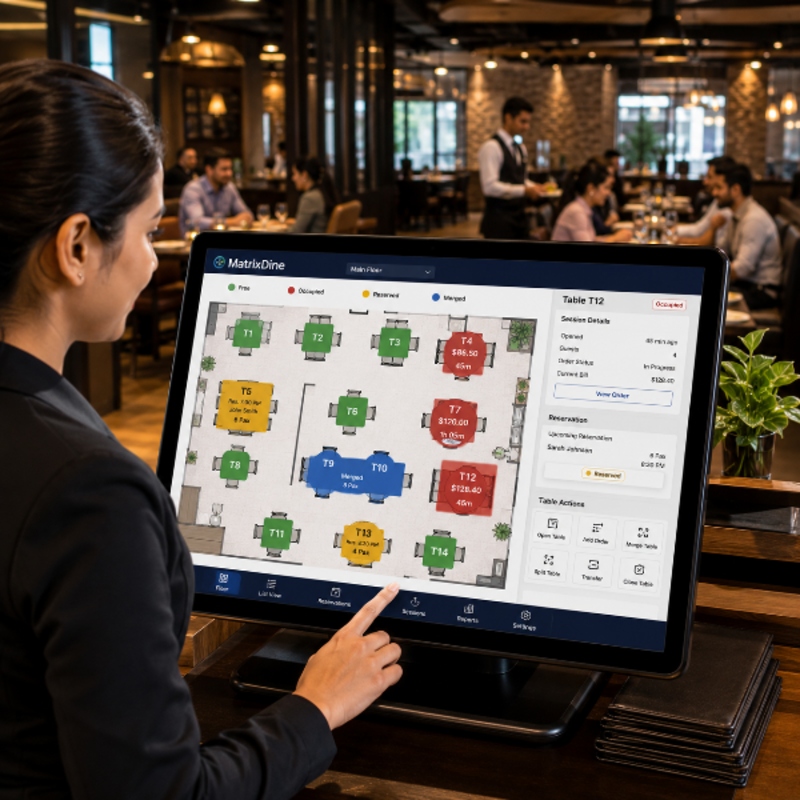
See free, occupied, and reserved tables. Manage sessions, rounds, merge tables, and reservations.
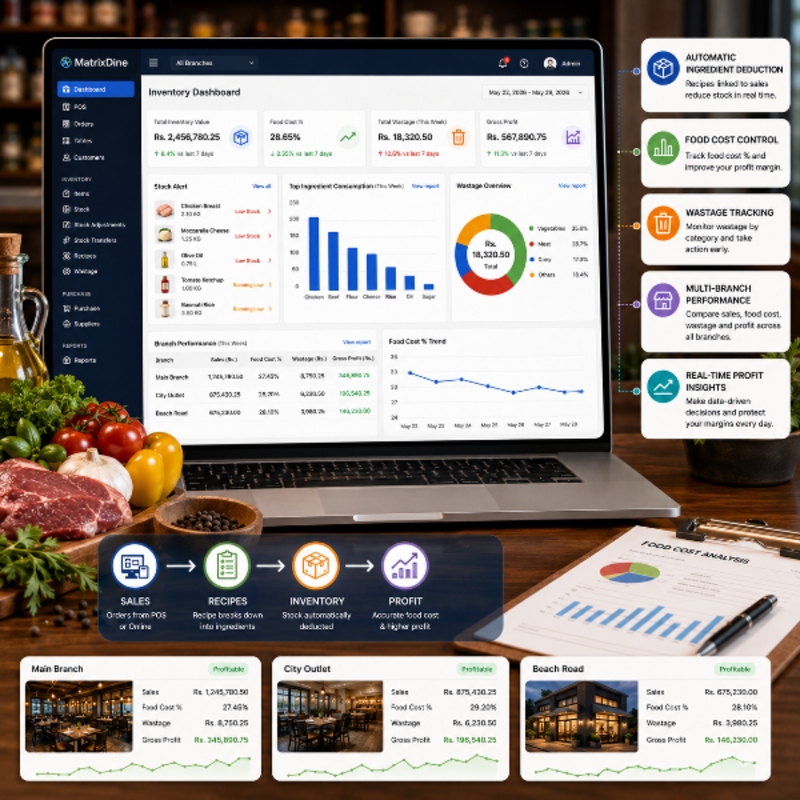
Inventory and recipes link to sales. Track stock, wastage, and branch performance from one dashboard.
Getting started
We handle setup and training so your team is confident before the first rush.
We configure your menu, tables, printers, and staff roles.
Quick hands-on training for cashiers, waiters, and kitchen staff.
Orders flow from POS to kitchen automatically - no double entry.
Daily sales, top items, and stock insights on your dashboard.
See the product
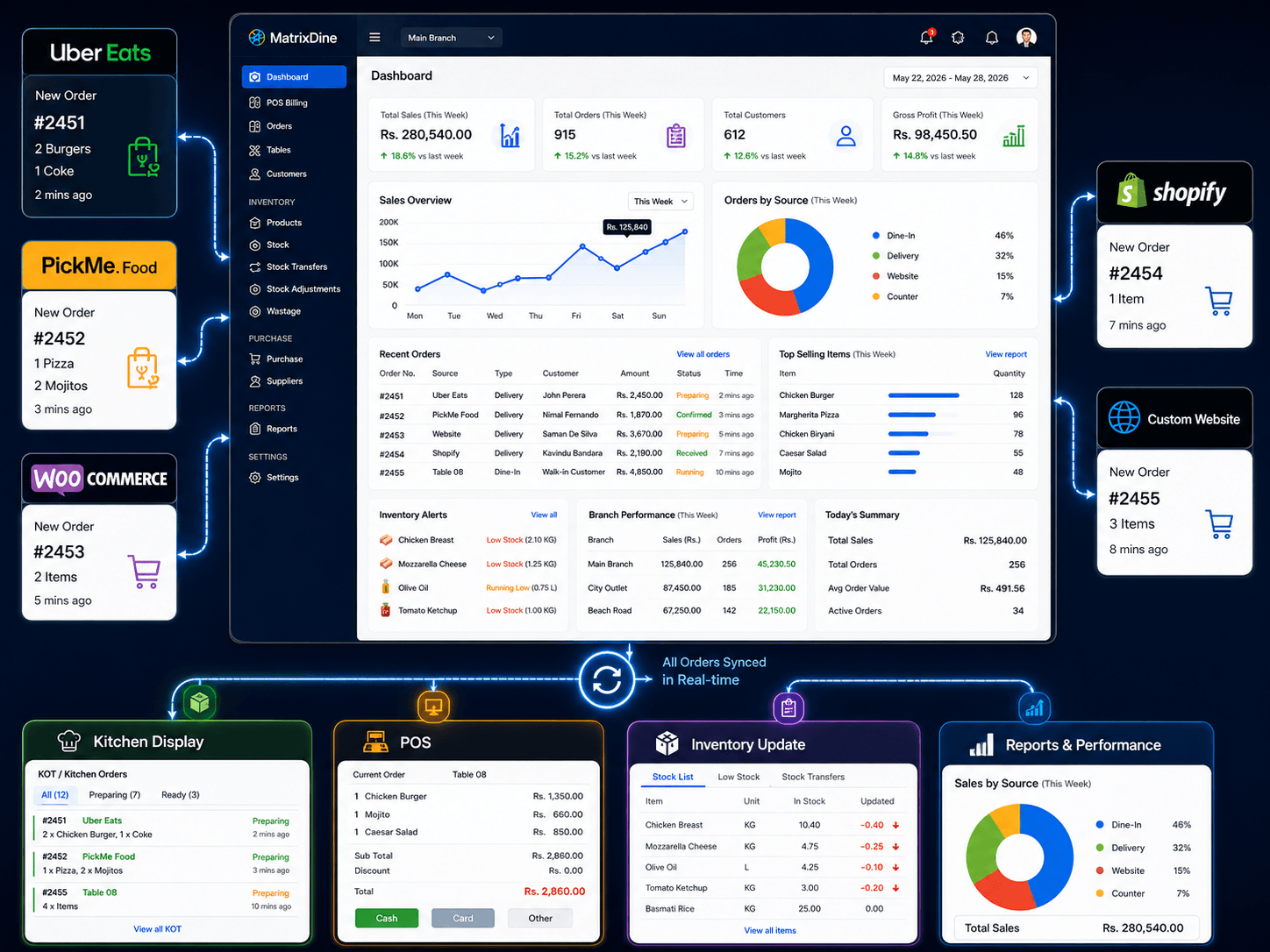
POS billing, kitchen queue, table sessions, and branch dashboard - the screens your team uses every day.
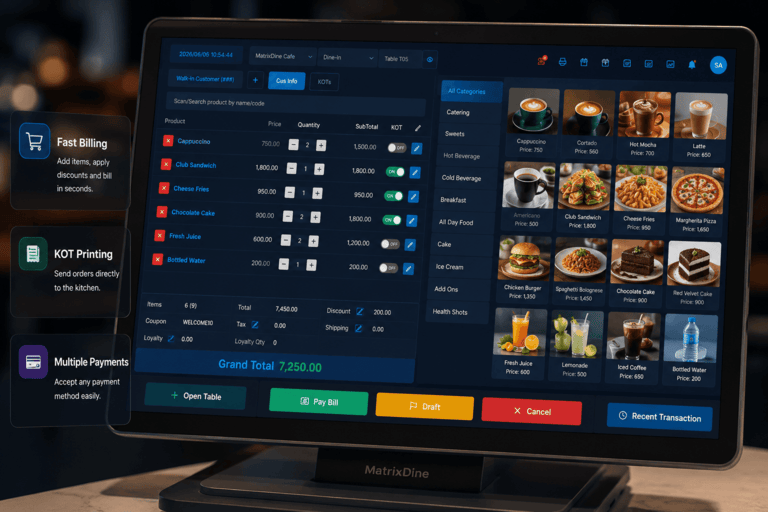
Fast touchscreen ordering with cart, discounts, and payments.
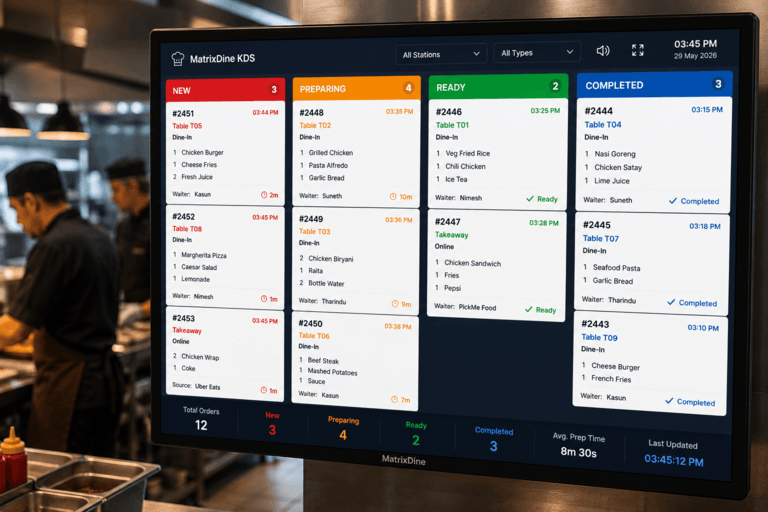
Live order queue with prep status for every ticket.
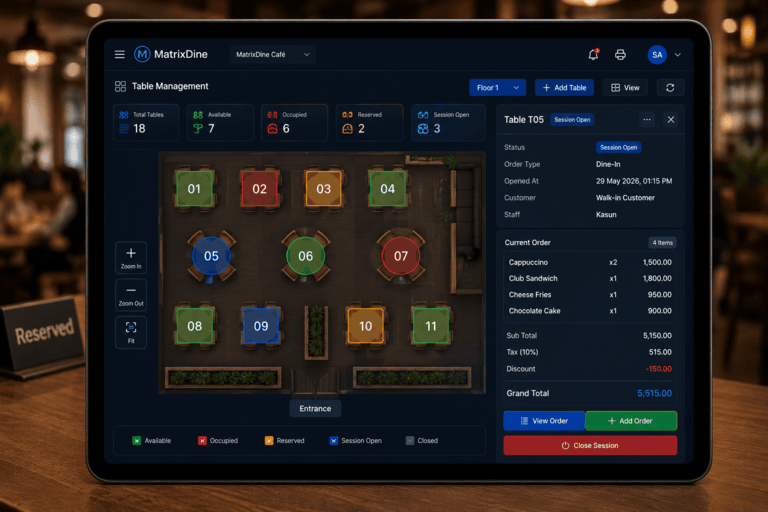
Floor view with table sessions and dine-in flow.
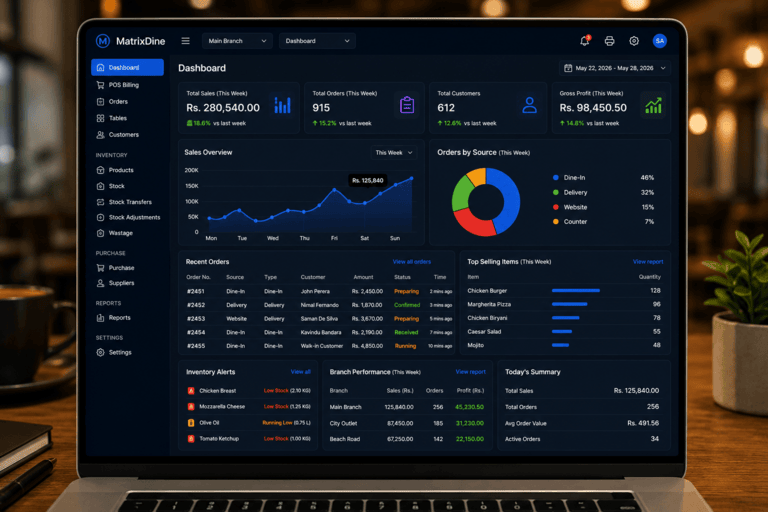
Today's sales, profit view, and branch comparison.
Offline POS
MatrixDine desktop POS keeps your counter running through Wi-Fi drops and outages. Sync menu, prices, and inventory at day start, bill offline during service, and upload sales automatically when you reconnect.
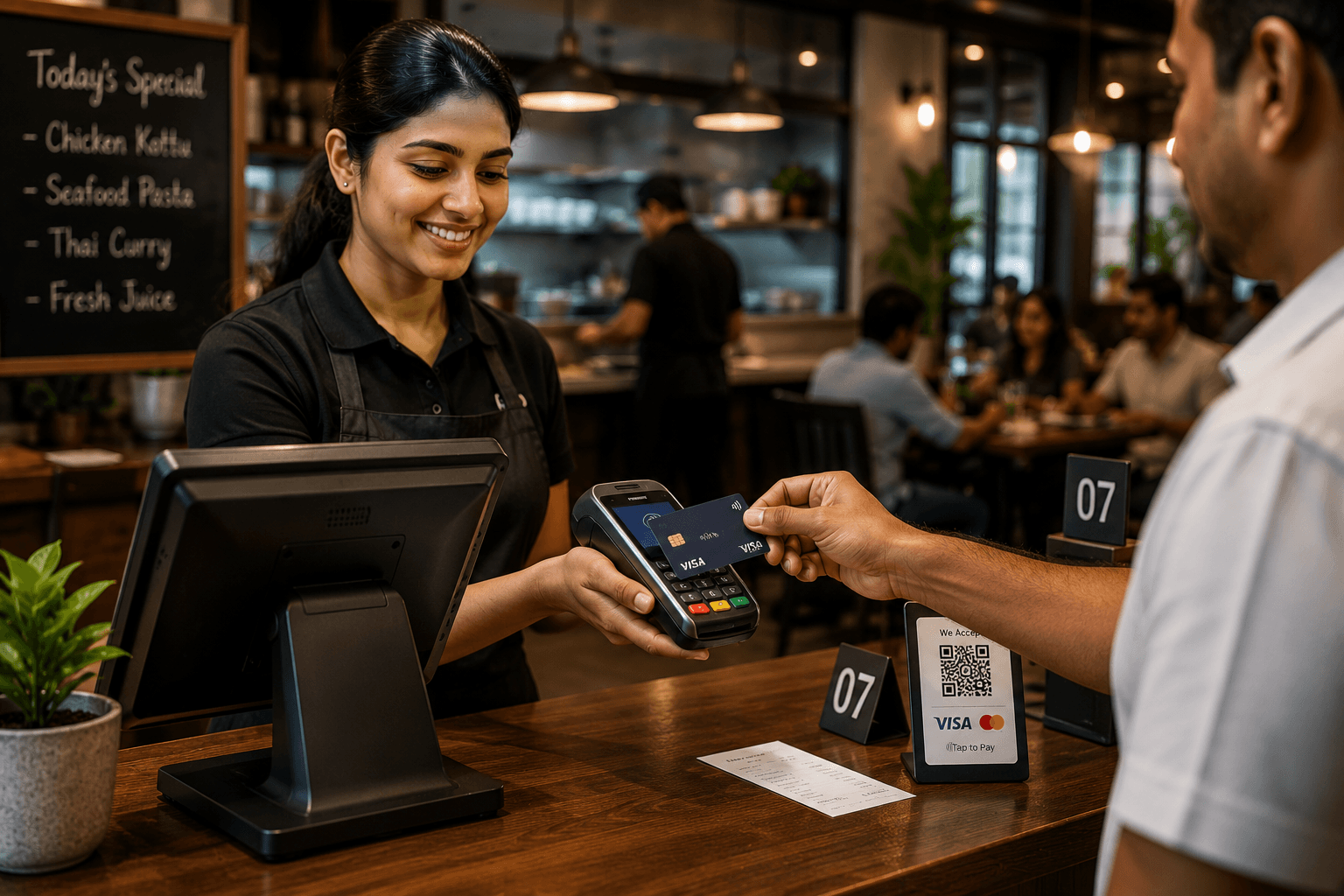
Payments
From checkout, MatrixDine pushes the bill total to your ECR terminal. The customer taps their card on the device, pays, and the payment is recorded on the same POS sale - no retyping amounts at the counter.
Self-service
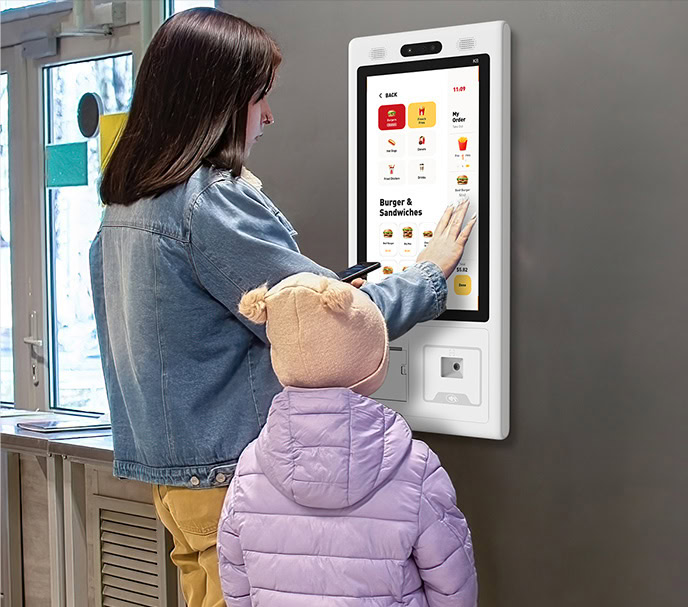
At peak hour, guests order and pay on a customer-facing touchscreen while your counter team handles complex orders. Kiosk sales use the same menu, kitchen flow, and reporting as your POS.
Works with the Telpo K8 and other touchscreen kiosk devices we configure for your outlet.
Connected
Bring delivery and online orders into the same operation as your dine-in and counter sales.
More ordering channels and guest tools are on the roadmap.
What's next
We are building the next layer of self-service, mobile, and guest-facing tools on the same platform you use today.
Book, confirm, and seat guests with your floor plan and table sessions kept in sync.
Waiters take orders and payments on a tablet or phone right at the table.
Guests scan a QR code, browse your menu, and send orders straight to the kitchen.
Take orders from WhatsApp into the same POS and kitchen flow as dine-in and delivery.
Let guests book a table online and see availability before they arrive.
Who it's for
From a neighbourhood café to a multi-branch group, MatrixDine adapts to how you actually run service.
Trusted locally
“Exceptional skill set, reliable support, and prompt crisis management.”Suminda Fernando · Head of Group IT, Vision Care Group
FAQ
MatrixDine is a cloud-based restaurant management platform that brings POS billing, table orders, kitchen operations, inventory, purchasing, recipes, customer records, and business reporting into one system - so your team runs daily service from a single place.
No. MatrixDine runs on standard equipment you may already have - Windows PCs, tablets, and touchscreen terminals. If you prefer a bundled setup, we also supply and configure Telpo POS terminals pre-loaded with MatrixDine.
Most single-outlet restaurants go live within a few days, including menu setup, staff training, and a supervised first service day.
Yes. MatrixDine includes stock control built for restaurant operations:
Yes. We can assist with importing your menu items, categories, variants, and product data so you do not need to rebuild everything from scratch.
No. Start with one outlet and add branches as you grow. Sales, inventory, and staff can be managed centrally across locations from one platform.
Yes. We tailor workflows, reports, role permissions, and operational processes to match how your restaurant runs - not a rigid one-size-fits-all setup.
Yes. MatrixDine connects with Uber Eats, PickMe Food, and e-commerce channels such as WooCommerce and Shopify. Additional delivery and ordering channels are on the roadmap.
Yes. MatrixDine integrates with standard ECR terminals for Tap & Pay checkout. Staff send the bill amount from the POS; the customer taps or pays by card on the terminal, and the payment is recorded on the same sale - alongside cash and split payments.
Yes. MatrixDine includes a Windows desktop POS app for offline billing when your connection drops. Menu, prices, and inventory sync to the counter at day start; completed sales upload automatically when you are back online. See our desktop POS page for details.
Yes. MatrixDine includes a self-billing kiosk flow - guests browse the menu, place orders, pay by card or mobile money, and tickets go to the kitchen automatically. We configure compatible devices such as the Telpo K8, and can integrate custom payment providers to match your setup.
MatrixDine offers hosted deployment with packages shaped around your outlets, user count, branches, and the modules you need. Book a free demo and we will recommend the right fit for your operation.
Yes. Our team provides onboarding assistance, ongoing technical support, software updates, and maintenance so your system stays reliable through everyday service and peak periods.
Get started
Book a free demo - we will walk you through POS, kitchen, tables, and reporting using your type of restaurant.